CyberSnap Mobile

Your recovery command center. In your pocket.

Know the moment ransomware shows up. Understand what happened in plain words. Act from wherever you are. One app for your cloud and your on-prem data center.

Cloud: AWS · Google Cloud On-prem: VMware · NetApp · NAS iPhone & Android Included with every license
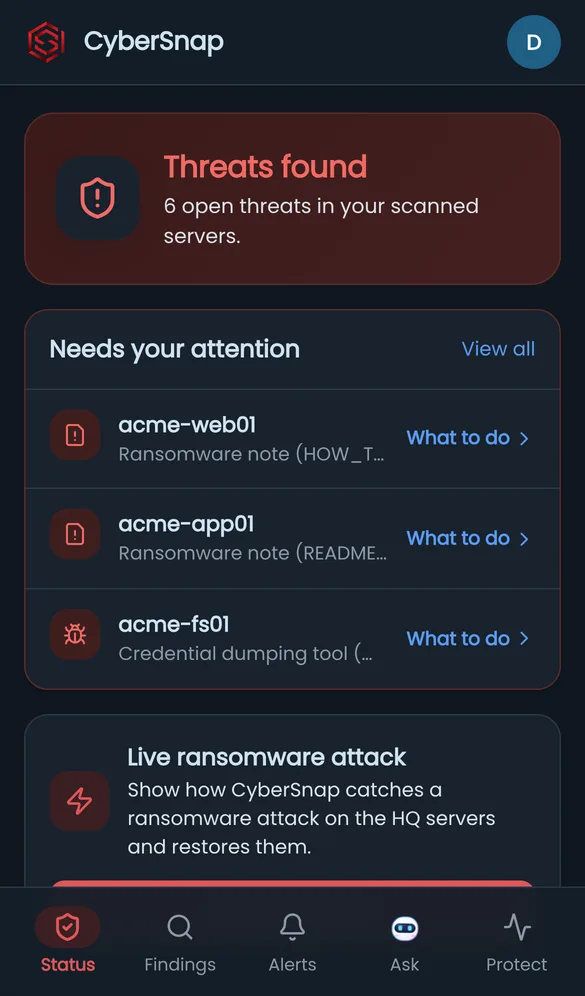
CyberSnap Mobile home screen: threats found and the servers that need attention
QR code that opens the CyberSnap Mobile demo Try it on your phoneScan to open the demo. No sign-up.
Everything you protect. One screen.

Cloud accounts and on-prem sites show up side by side, with the same colors, the same alerts and the same actions.

CyberSnap Cloud

Your cloud servers

Sign in with your CyberSnap account. Every connected AWS account and Google Cloud project is there right away.

  • ✓Every server, colored by status: protected, check, infected
  • ✓Scan, pause or resume protection from your phone
  • ✓Lock the last clean backup so attackers cannot delete it
CyberSnap On-prem

Your data center

Connect your on-prem CyberSnap to the cloud once, in its Settings. Your sites then appear in the app next to the cloud. Cloud access for managing on-prem is included at no cost.

  • ✓VMware, NetApp and NAS sites with their servers and findings
  • ✓On-prem scan jobs and results, live
  • ✓The same phone alerts for on-prem threats

A ransomware morning, on your phone.

These are real screens from the live demo, with sample data. Open the demo and press "Live ransomware attack" to watch CyberSnap catch an attack and send a real alert to your phone.

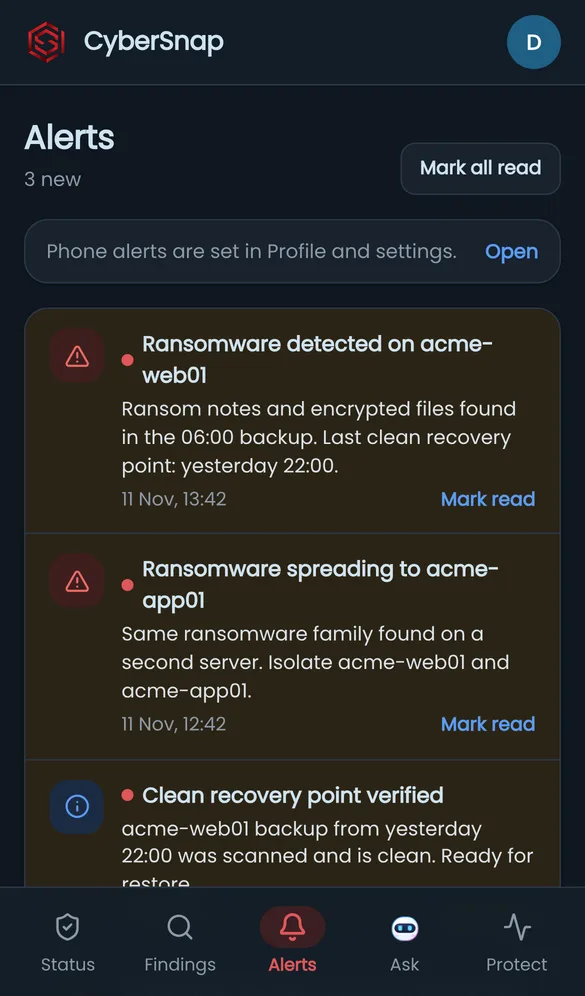
Alerts screen
1. The alertRansomware found on a server. Your phone buzzes.
Status screen
2. The pictureWhat is hit, and what needs you first.
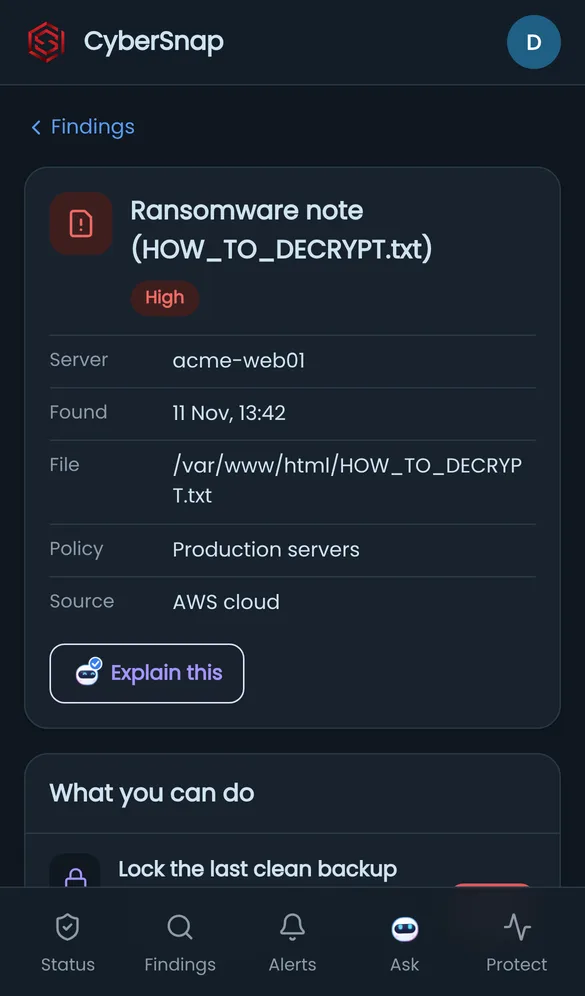
Threat detail screen
3. The detailsWhich file, which server, when. Explained in plain words.
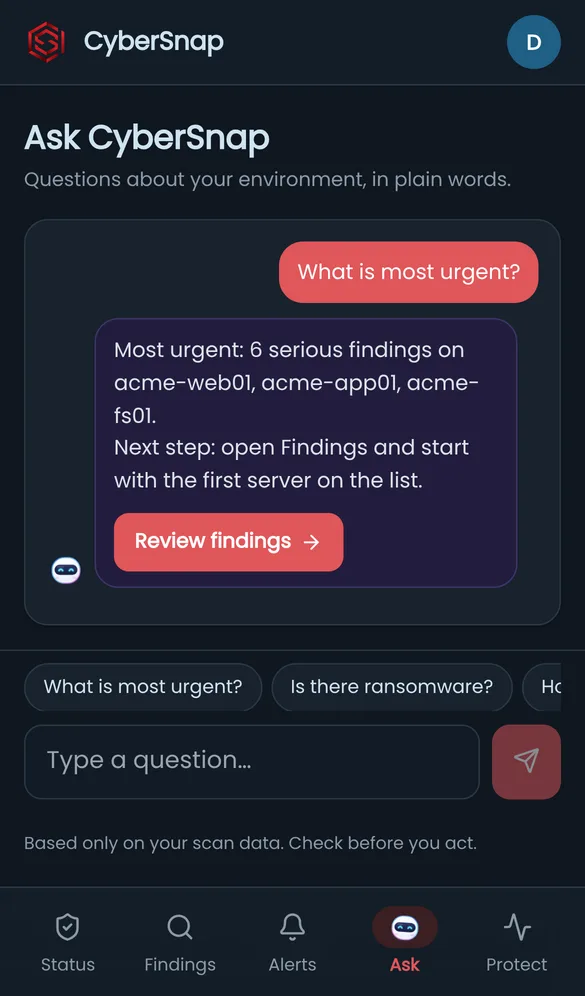
Ask CyberSnap AI screen
4. Ask"What is most urgent?" An answer and a button to the next step.
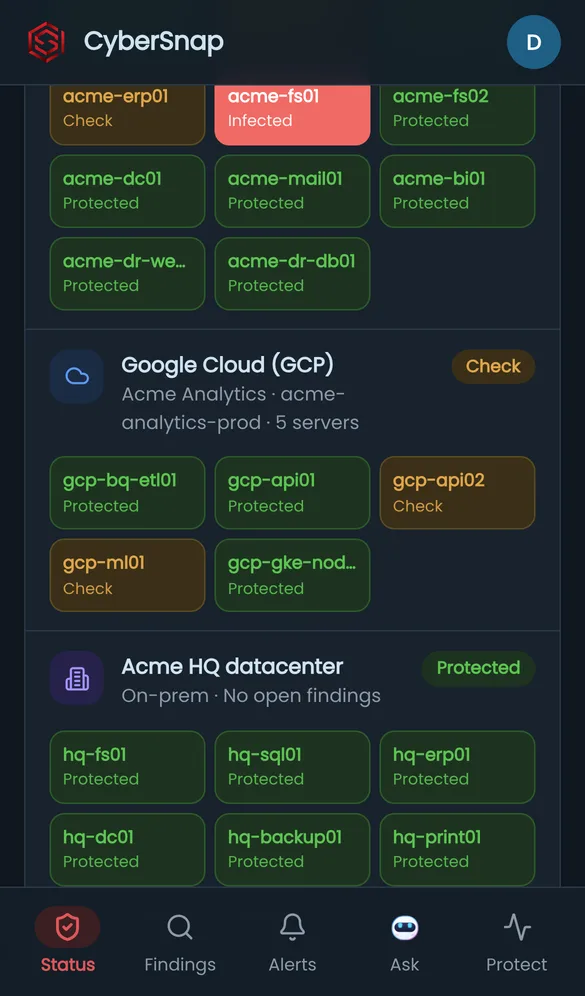
Environment screen with cloud and on-prem
5. Cloud + on-premAWS, Google Cloud and your data center together.
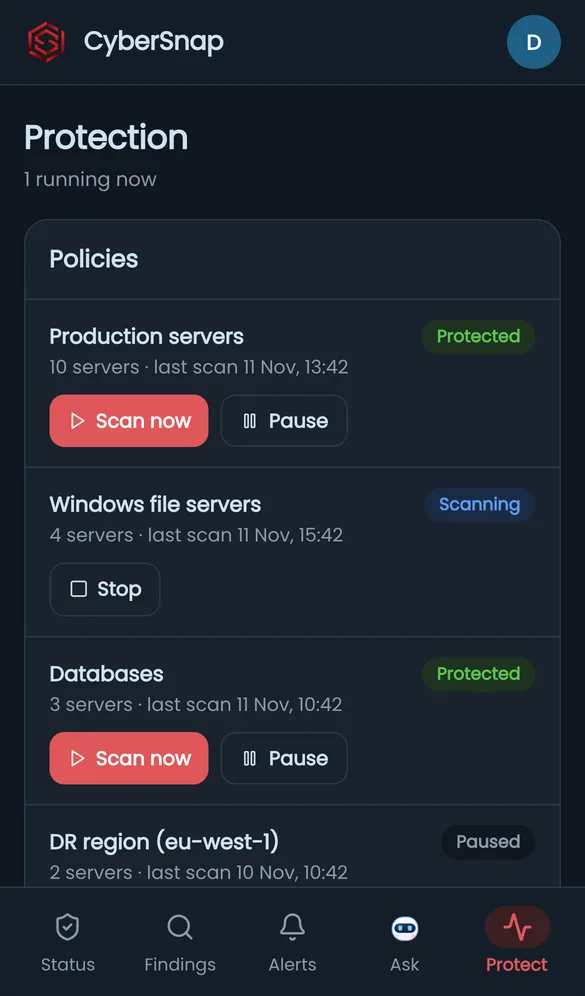
Protection screen
6. ActScan now, pause or stop, from anywhere.

Minutes matter in an attack. Your laptop is not always with you.

01 · Know first

Instant phone alerts

Ransomware, malware or a failed scan: you hear about it in seconds, not at the next login.

02 · Understand

AI that speaks plainly

"What happened overnight?" "Is there ransomware?" Short answers from your own scan data, each with a button to the next step.

03 · Act

Decide from anywhere

Start a scan, pause protection, lock the last clean backup, or start the recovery. Admin-only actions stay admin-only.

04 · One view

Cloud and on-prem together

No more switching between consoles. Every site and every account, in one list with one set of colors.

05 · Be ready

Ransomware readiness score

See how many servers you could recover today, and what to fix to get to 100%.

06 · Easy

Nothing to install

Open it in your phone browser and add it to your home screen. English or Hebrew, light or dark.

On your phone in two minutes.

01

Open the app

On your phone, go to app.cybersnap.io/m, or scan the QR code in CyberSnap, Settings, Mobile app.

02

Sign in

Use the same email and password as in CyberSnap, then the verification code we send you.

03

Add to home screen

iPhone: Share, then "Add to Home Screen". Android: menu, then "Install app".

04

Turn on alerts

In the app, open Settings and turn on phone alerts. Send yourself a test.

On-prem customers: first connect your on-prem CyberSnap to the cloud (on-prem Settings, Cloud connection). Your sites then appear in the app on their own.

Before you start.

Does it cost extra?

No. The mobile app is included with every CyberSnap license, cloud and on-prem, including the Free plan.

Do I need to download it from an app store?

No. It runs in your phone browser. Add it to your home screen and it opens like any other app.

I only have CyberSnap on-prem. Can I use it?

Yes. Connect your on-prem system to CyberSnap Cloud once from its Settings. Cloud access for managing your on-prem sites is included, and you sign in to the app with the same email.

Is it secure?

You sign in with your CyberSnap password plus a one-time code sent to your email. The app shows only your own account, and each user keeps their role: actions like locking a backup are for admins only.

Do phone alerts work on iPhone?

Yes, on iOS 16.4 or later, once the app is added to your home screen. On Android they work in Chrome right away.

Is the demo real?

The screens are real, the data is sample data. Nothing you do in the demo touches a real account.

See it on your own phone.

Open the demo, press "Live ransomware attack", and watch the alert arrive.